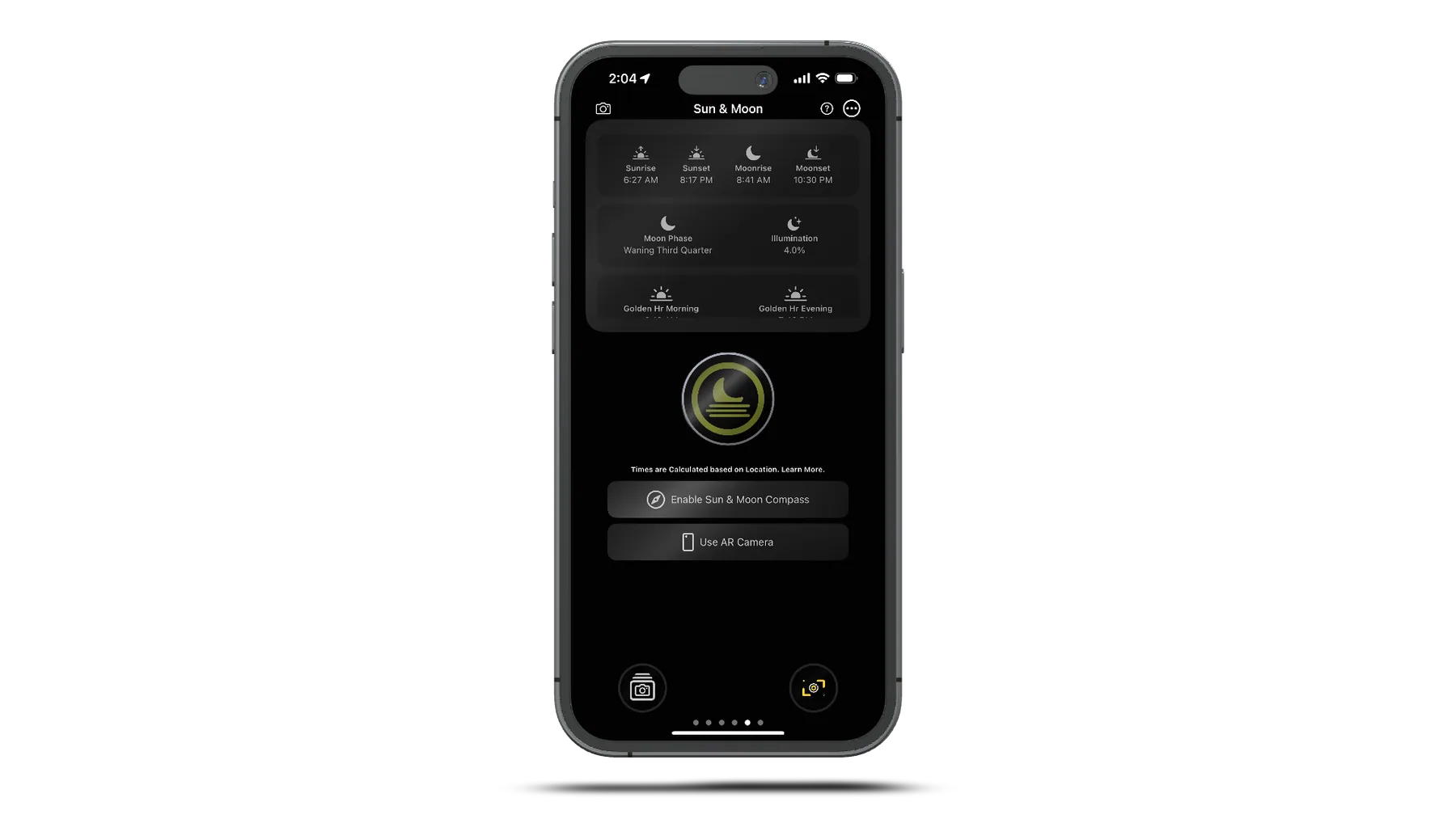
Sun & Moon AR Tracking
ARKit Integration
World Tracking
ARWorldTrackingConfiguration for 3D celestial positioning
Geo Tracking
ARGeoTrackingConfiguration using geographic anchors
Real-time Positioning
Continuous 3D placement of sun/moon entities in AR space
Device Orientation
Automatic adjustment for all device orientations
Professional Astronomical Calculations
Precise Timing
- Sunrise & sunset times
- Moonrise & moonset times
- Solar noon calculations
- Multi-timezone support
Twilight Times
- Golden Hour - Perfect light
- Blue Hour - Magical colors
- Civil Twilight - Outdoor activities
- Nautical/Astronomical - Stars visible
Moon Phases
- Complete lunar cycle tracking
- Phase icons & names
- Illumination percentage
- Next phase predictions
SunCalc Integration
Professional-grade astronomical calculations powered by advanced algorithms:
- Solar azimuth and altitude
- Lunar position and phase
- Daylight duration
- Shadow length calculations
<!-- -->
- Equinox and solstice dates
- Solar declination
- Equation of time
- Global location support
AR Visual System
3D Visual Elements
- Sun Entity Glowing yellow sphere with dynamic lighting - Moon Entity White sphere with phase-accurate appearance
- 🌈
Path Prediction Visualization of celestial movement arcs - Crosshair Overlay Precision alignment tools for photography
Interactive Controls
Time-lapse Playback
1x to 256x speed celestial movement
Prediction System
Future positions at 30-minute intervals
Real-time Guidance
"Sun Left 45°", "Moon Right 30°"
Flight Radar Integration
Web-Based Radar System
FlightRadar24 Integration
Embedded flight tracking services with real-time data
Multiple Sources
Configurable radar sources with different providers
Auto-refresh
30-minute automatic reload cycle for current data
GPS Integration
Location-aware radar positioning for your area
Photography Enhancement
- ✈️
Aircraft Tracking Real-time aircraft positioning for aviation timelapses
- 📍
Flight Path Prediction Anticipated aircraft movement for shot planning
- 🎯
Overlay Controls Opacity adjustment and source switching
- 🧭
Navigation Tools Compass integration for precise aircraft tracking
Using AR Features for Photography
Golden Hour Planning
- 1.
Check Timing View golden hour start/end times
- 1.
Position Camera Use AR to align with sun position
- 1.
Set Timelapse Start capture before golden hour
- 1.
Monitor Progress Track sun movement in real-time
Night Sky Photography
- 1.
Moon Phase Check Plan for new moon for stars
- 1.
Find Dark Sky Use moon position to avoid light
- 1.
Track Movement Predict star trails direction
- 1.
Capture Stars Use star trails profile
Pro Tips
Check weather for clear skies during golden hour
Use compass bearing for precise alignment
Arrive early to setup before optimal light
Master AR Photography
Combine AR tracking with other TimeLapsed features for perfect timing and positioning.