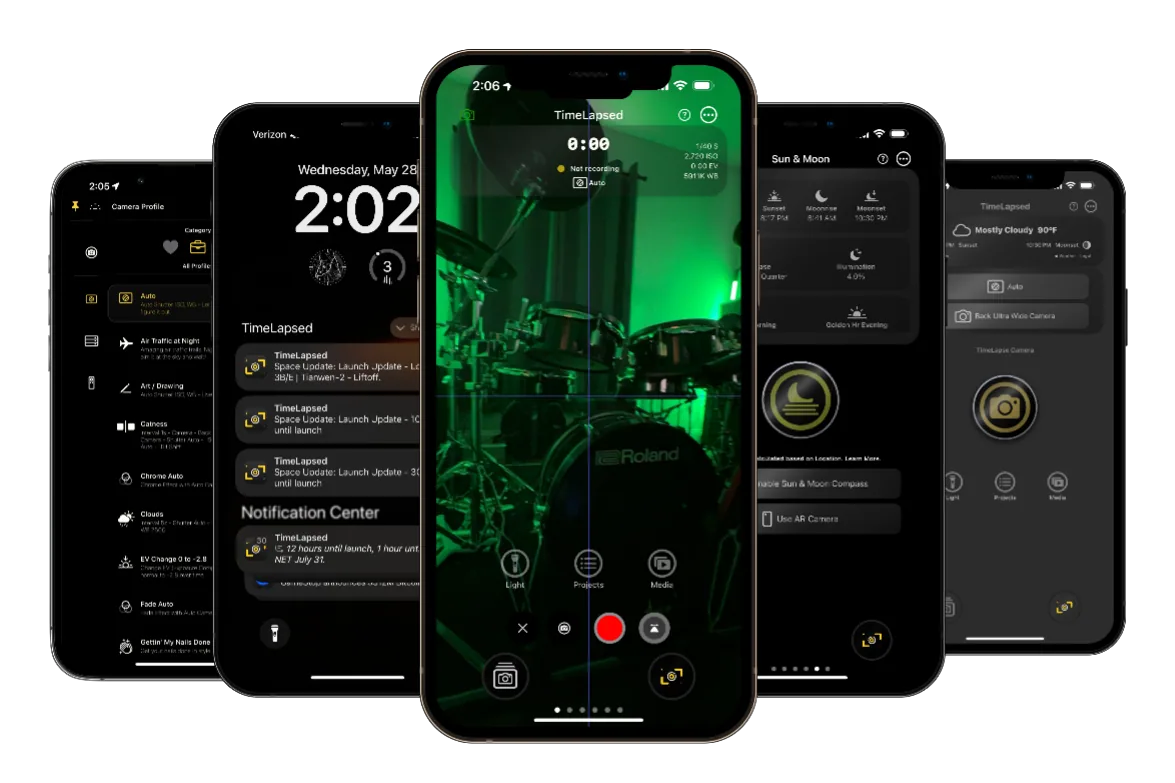
Easy Mode
Perfect for beginners and casual users
Key Features
- Simplified Tab Interface 5 main tabs with single-purpose screens - Large Touch Targets Oversized buttons optimized for mobile use - Progressive Disclosure Advanced features hidden behind "More" buttons - Visual Feedback Animations and gradients for immediate response
Main Tabs
Camera
Remote
Stats
Celestial
Rocket Launch
Advanced Mode
Professional interface for experienced users
Key Features
- Feature-Dense Interface Complex navigation with nested views - Full Camera Controls Access to all manual settings and features - Advanced Video Editing Multi-clip compositions with Metal effects - Professional Workflow Automation and batch operations
Navigation
Home
Projects
Media
Settings
More
Easy Mode Special Features
50+ Theme Properties
Extensive theme customization with 5 categories:
- Background - Gradients and colors
- Widgets - Widget styling
- Buttons - Button appearance
- Themes - Pre-made themes
- Extra - Additional customization
Built-in Widgets
Integrated widgets for enhanced functionality:
- Tripometer - GPS trip recording
- Sun & Moon Finder - AR overlay
- Weather - Forecasts and alerts
- Rocket Launch - Live countdowns
- Theme Editor - Real-time customization
How to Switch Modes
1
Go to Settings
Navigate to the Home Screen Settings in the app
2
Toggle Interface Mode
Switch between Easy Mode and Advanced Mode
3
Seamless Transition
All your preferences and data remain intact
Note: You can switch between modes as often as you like. Your projects, settings, and preferences are preserved across both interfaces.
Which Mode is Right for You?
Choose Easy Mode if you:
- Are new to timelapse photography
- Prefer a simple, guided experience
- Want quick access to basic features
- Enjoy visual themes and customization
- Use widgets frequently
Choose Advanced Mode if you:
- Have experience with photography apps
- Need full manual camera control
- Want advanced editing capabilities
- Require professional workflows
- Need batch operations and automation