Quick Start Recommendations
👋
New to Timelapse?
Start with Getting Started and Equipment sections
Begin Here →
📸
Some Experience?
Jump to Lighting and Camera Settings
Level Up →
🏆
Advanced User?
Explore Advanced Methods and Post-Production
Master It →
🚀
Beginner
Getting Started
Discover the evolution of timelapse and modern iPhone capabilities
•Evolution of Timelapse
•iPhone Camera Technology
•Why TimeLapsed App
Explore section
📱
Beginner
Equipment & Setup
Essential gear and mounting techniques for stability
•Equipment Essentials
•Mounting & Stabilization
•Filters & Accessories
Explore section
🔋
Intermediate
Power & Thermal
Battery solutions and thermal management for long sessions
•Power Management
•Thermal Control
•Extended Sessions
Explore section
☀️
Intermediate
Lighting Conditions
Master shooting in any light from golden hour to night
•Golden Hour
•Blue Hour
•Night Timelapse
•Challenging Light
Explore section
⏱️
Intermediate
Frame Intervals
Calculate perfect intervals for smooth timelapses
•Interval Calculations
•Subject Speed
•Duration Planning
Explore section
📷
Intermediate
Camera Settings
Master exposure, focus, and advanced camera controls
•Exposure Control
•Focus Settings
•White Balance
•Advanced Controls
Explore section
🎨
Intermediate
Composition
Create visually compelling timelapses through composition
•Framing
•Movement
•Visual Storytelling
•Dynamic Elements
Explore section
🎬
Advanced
Advanced Methods
Professional techniques like hyperlapse and motion control
•Hyperlapse
•Motion Control
•Creative Transitions
Explore section
🎞️
Advanced
Post-Production
Edit, color grade, and export your masterpieces
•Editing Workflow
•Color Grading
•Export Settings
•Delivery Formats
Explore section
💡
All Levels
Creative Applications
Explore creative uses and additional resources
•Creative Projects
•Related Guides
•Community Resources
Explore section
Ready to Create Amazing Timelapses?
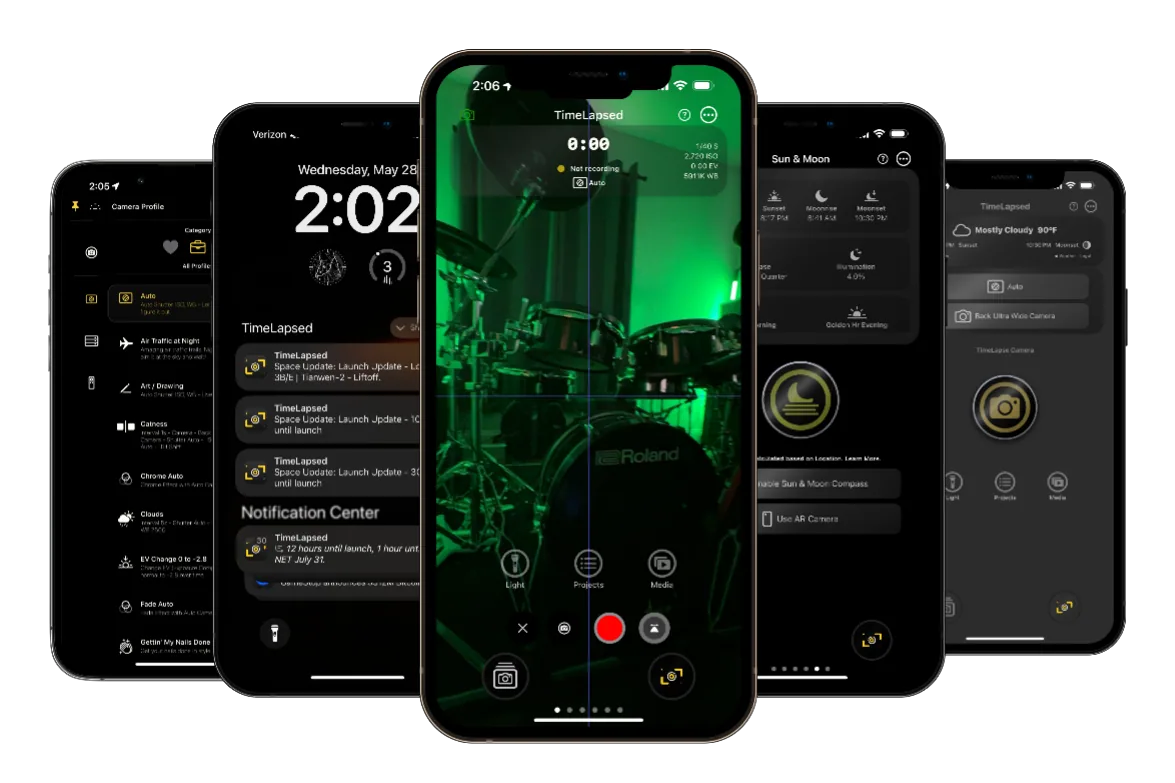
Download TimeLapsed App and start creating professional timelapses with your iPhone today.