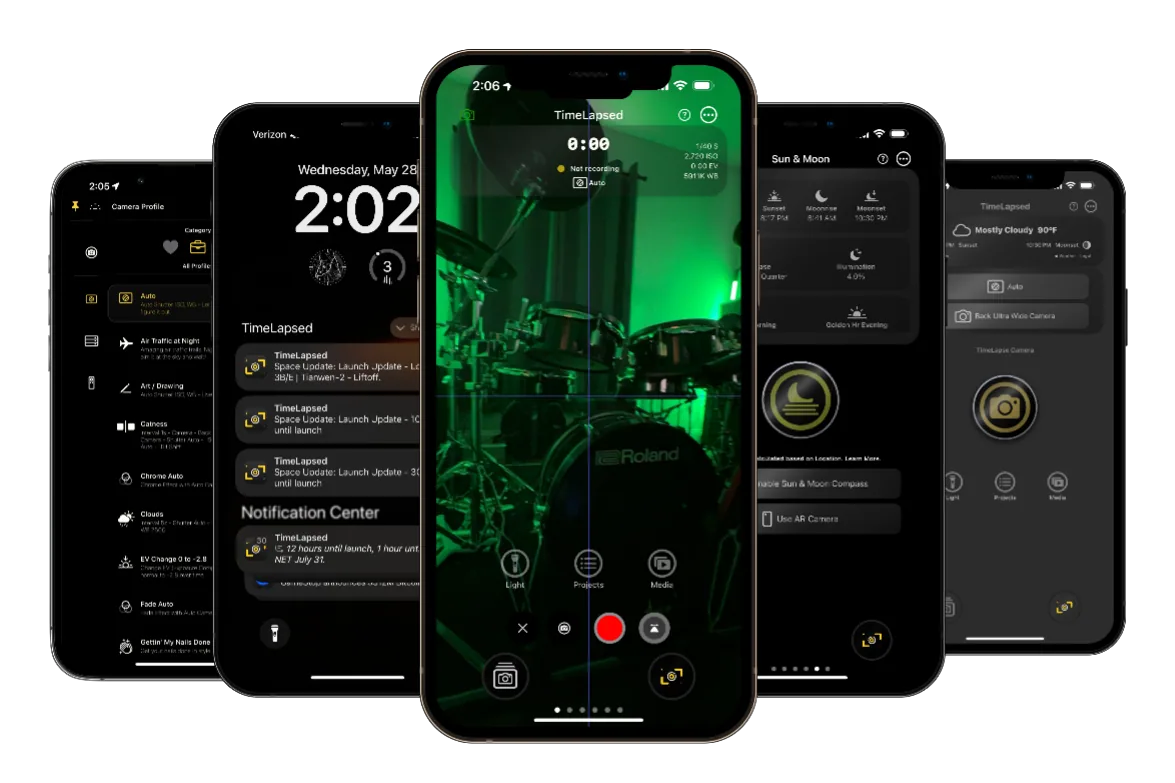
Quick Start Guide
1
Choose Your Mode
Start with Easy Mode if you're new
2
Set Up Camera
Configure basic camera settings
3
Start Recording
Create your first timelapse
Manual Sections
Getting Started
4 chapters
1.Understanding Two Modes
2.Initial Setup & Configuration
3.Interface Overview
4.Basic Recording
Camera & Photography
4 chapters
1.Professional Camera Controls
2.Camera Profiles System
3.Multi-Camera Support
4.Exposure & Focus
Creative Features
4 chapters
1.Light Painting & Frame Blending
2.Drawing & Overlay
3.Timelapse Techniques
4.Creative Effects
Special Features
4 chapters
1.Rocket Launch Tracking
2.AR Sun/Moon Tracking
3.Flight Radar Integration
4.Weather Features
Control Methods
4 chapters
1.50+ Siri Voice Commands
2.Apple Watch Companion
3.Remote MCF Control
4.Gesture Controls
Advanced Features
4 chapters
1.Metal Video Editor
2.Import & Export
3.Actions & Automation
4.Batch Processing
Key Features Overview
Intelligent Automation
Smart exposure ramping, auto-ISO, and scene detection
Connected Ecosystem
Multi-device sync, cloud backup, and remote control
Professional Tools
RAW support, ProRes export, and color grading
Initial Setup & Configuration
First Launch Setup
- 1.
Grant Permissions
- Camera access for recording
- Photos access for saving/importing
- Location services for GPS features
- Notifications for alerts
- 1.
Choose Interface Mode
Select Easy Mode for beginners or Advanced Mode for pros
- 1.
Configure Preferences
Set video quality, storage location, and default settings
- 1.
Enable Cloud Backup
Optional iCloud sync for projects and settings
Interface Overview
Main Camera Screen
Preview Area
Live camera feed with overlay options
Control Bar
Quick access to camera settings
Mode Selector
Switch between timelapse, video, photo
Status Display
Frame count, duration, storage
Settings & Options
Camera Settings
Manual controls for all parameters
Profile Management
Save and load camera presets
Project Settings
Output format and quality
App Preferences
General app behavior
Pro Tips & Troubleshooting
Essential Tips
- Always use a tripod for stable timelapses
- Lock exposure for consistent lighting
- Use external power for long sessions
- Enable airplane mode to prevent interruptions
- Clean lens before important shoots
Common Issues
- ⚡ Overheating: Use shade and cooling
- ⚡ Storage full: Clear cache regularly
- ⚡ Flicker: Lock all camera settings
- ⚡ Battery drain: Reduce screen brightness
- ⚡ Focus drift: Use manual focus
Additional Resources
Video Tutorials
Watch step-by-step guides on YouTube
Quick Reference
Downloadable PDF cheat sheet
Community
Join our Discord community
Ready to Master TimeLapsed?
Start with the basics and work your way through each feature guide for complete mastery.