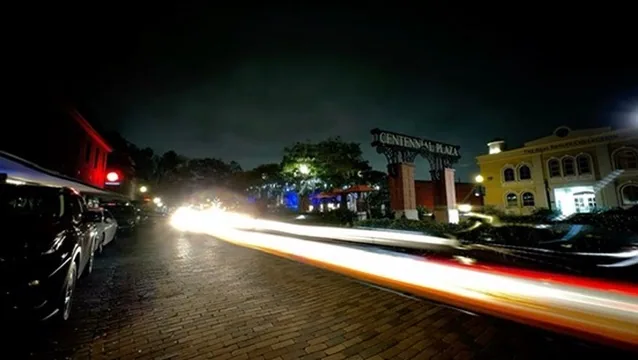
Frame Intervals & Timing
Frame intervals are the heartbeat of timelapse photography. Choosing the right interval determines whether your subject appears to flow naturally or looks choppy and unnatural. Master this fundamental concept to create smooth, professional timelapses that captivate your audience.
Frame Rate Mathematics
Understanding the Math
Basic Formula:
Final Video Length = (Total Frames ÷ Playback FPS) Speedup Ratio = (Interval × Playback FPS)
Example Calculation:
• 1800 frames at 1-second intervals • Played back at 30fps • Result: 60-second video • Speedup: 30x real time
Subject-Specific Interval Guide
Fast Movement (0.5-2 seconds)
Best For:
- Traffic and busy streets
- Crowded places and markets
- Sporting events
- Fast-moving clouds
- Ocean waves and water movement
Recommended Settings:
- 0.5s: Extremely busy scenes
- 1s: Heavy traffic, crowds
- 2s: Moderate activity
- Final speedup: 15-60x
- Typical duration: 30min-2hrs
Medium Movement (3-10 seconds)
Best For:
- People walking
- Construction work
- Cooking and food preparation
- Drawing and art creation
- Moderate cloud movement
Recommended Settings:
- 3s: Active work scenes
- 5s: General activity
- 10s: Slow-paced activities
- Final speedup: 90-300x
- Typical duration: 1-4 hours
Slow Movement (15-60 seconds)
Best For:
- Shadow movement
- Sunrise and sunset
- Slow cloud formation
- Tide changes
- Light changes throughout day
Recommended Settings:
- 15s: Shadow tracking
- 30s: Golden hour changes
- 60s: Slow atmospheric changes
- Final speedup: 450-1800x
- Typical duration: 4-12 hours
Very Slow Movement (2-30 minutes)
Best For:
- Plant growth
- Flower blooming
- Fruit ripening
- Decay and decomposition
- Seasonal changes
Recommended Settings:
- 2-5min: Fast-growing plants
- 10-15min: Flower blooming
- 30min: Seasonal changes
- Final speedup: 3600-54000x
- Typical duration: Days to months
Advanced Timing Techniques
Variable Intervals (Ramping)
When to Use:
- Day-to-Night Transitions: Start with 1s, ramp to 30s
- Changing Activity Levels: Adapt to scene dynamics
- Long-form Projects: Maintain interest over time
- Seasonal Documentation: Adjust for growth rates
Implementation:
- Start with shorter intervals for detail
- Gradually increase as motion slows
- Use TimeLapsed app's auto-ramping
- Manual adjustments for creative control
Cinematic Timing
24fps vs 30fps vs 60fps:
- 24fps: Cinematic, film-like quality
- 30fps: Standard video, smooth motion
- 60fps: Ultra-smooth, gaming/sports
- 120fps: Slow-motion capability
Creative Considerations:
- Match final use case (web, film, social)
- Consider motion blur preferences
- Plan for potential speed changes in post
- Higher fps allows more flexibility
Common Timing Scenarios
Sunrise/Sunset (90 minutes)
Optimal Settings:
- Interval: 10-15 seconds
- Duration: 90 minutes
- Final length: 15-20 seconds
- Speedup: ~270x
Pro Tip: Start 30 minutes before sunrise and continue 30 minutes after for the full golden hour effect.
Construction (8 hours)
Optimal Settings:
- Interval: 5-10 seconds
- Duration: 8 hours
- Final length: 60-90 seconds
- Speedup: ~320x
Pro Tip: Adjust intervals based on activity level— faster during busy periods, slower during lunch breaks.
Flower Blooming (3 days)
Optimal Settings:
- Interval: 5-10 minutes
- Duration: 72 hours
- Final length: 30-45 seconds
- Speedup: ~5760x
Pro Tip: Use consistent artificial lighting to avoid day/night cycles affecting the final video.
Art Creation (2 hours)
Optimal Settings:
- Interval: 2-5 seconds
- Duration: 2 hours
- Final length: 45-60 seconds
- Speedup: ~120x
Pro Tip: Shorter intervals capture more detail in brush strokes and hand movements for better visual flow.
TimeLapsed App Interval Tools
Smart Timing
- AI-powered interval suggestions
- Real-time preview of final video length
- Scene analysis for optimal timing
- Automatic interval adjustments
Advanced Controls
- Custom interval ramping curves
- Time-based triggers and stops
- Motion-activated intervals
- Preset timing templates
Quick Reference Guide
| Subject Type | Interval | Duration | Final Length | Speedup |
|---|---|---|---|---|
| Heavy Traffic | 0.5-1s | 30-60min | 30-60s | 30-60x |
| People Walking | 2-5s | 1-2hr | 45s | 80-160x |
| Clouds | 5-15s | 2-4hr | 30-60s | 240-960x |
| Sunrise/Sunset | 10-30s | 90min | 15-20s | 270-540x |
| Plant Growth | 5-30min | Days-Weeks | 30-60s | 7200-43200x |
Timing Mastered? Perfect Your Camera Settings
With timing under control, dive deeper into camera settings to take full control of exposure, focus, and white balance.