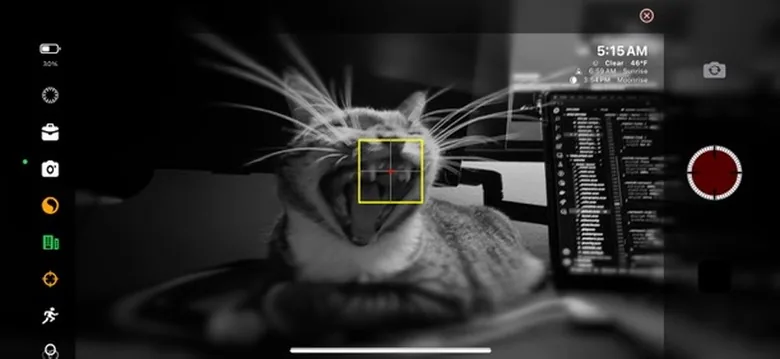
How MCF Works
Network Architecture
Primary Device (Server)
- Acts as control center
- Sends commands to all connected devices
- Monitors status of all cameras
- Handles synchronization
Secondary Devices (Clients)
- Receive commands from primary
- Execute recording instructions
- Report status back to primary
- Maintain frame synchronization
Connection Method
- Local Wi-Fi network required
- Automatic device discovery
- Secure pairing protocol
- Low-latency communication
Key Capabilities
Perfect Synchronization
Frame-accurate timing across all devices
Individual Camera Control
Different settings per device if needed
Real-time Monitoring
Live preview from all connected cameras
Unlimited Devices
No artificial limit on connected cameras
Setup Process
Primary Device (Controller)
- 1.1
Open TimeLapsed
Navigate to Remote tab
- 1.2
Tap "Start as Primary"
Device becomes control center
- 1.3
Note Session Code
6-digit code for pairing
- 1.4
Wait for Connections
Devices appear as they connect
Secondary Devices (Cameras)
- 1.1
Open TimeLapsed
Navigate to Remote tab
- 1.2
Tap "Join as Secondary"
Device enters client mode
- 1.3
Enter Session Code
Type the 6-digit code
- 1.4
Confirm Connection
Device ready for commands
All devices must be on the same Wi-Fi network for MCF to work
Primary Device Control Interface
Global Controls
- Start All - Begin on all devices
- Pause All - Pause synchronously
- Stop All - End recording
- Sync Time - Re-sync clocks
- Emergency Stop - Force quit
Device Management
- View connected devices list
- Individual device status
- Battery levels monitoring
- Storage space tracking
- Remove/disconnect devices
Settings Sync
- Sync camera settings
- Copy profile to all
- Individual overrides
- Batch configuration
- Save device presets
Live Monitoring Dashboard
4
Connected Devices
12,450
Total Frames
00:41:30
Recording Time
2.1 GB
Total Size
Advanced MCF Features
Precision Synchronization
Time Sync Protocol
NTP-based clock synchronization
Frame Accuracy
Sub-millisecond timing precision
Network Latency Compensation
Automatic delay adjustment
Scheduled Start
Countdown timer for all devices
Multi-Angle Configurations
360° Coverage
Surround subject with multiple cameras
Wide + Close-up
Mix focal lengths for variety
Motion Tracking
Follow action from multiple angles
Time Slice
Matrix-style bullet time effects
Professional Use Cases
Event Coverage
Capture events from every angle:
- Weddings & ceremonies
- Concerts & performances
- Sports events
- Corporate presentations
Construction Progress
Document projects comprehensively:
- Multiple site angles
- Synchronized documentation
- Long-term monitoring
- Safety compliance
Scientific Research
Precise multi-angle observation:
- Growth experiments
- Motion analysis
- Weather phenomena
- Wildlife behavior
Creative Productions
Professional video projects:
- Music videos
- Art installations
- Documentary footage
- Virtual tours
Real Estate
Showcase properties effectively:
- Virtual walkthroughs
- Day-to-night transitions
- Construction progress
- Neighborhood views
Education
Enhanced learning materials:
- Lab demonstrations
- Tutorial recordings
- Student projects
- Virtual field trips
MCF Best Practices
Setup Tips
- ✓Use a dedicated Wi-Fi network for best performance
- ✓Position primary device centrally for monitoring
- ✓Test sync before important shoots
- ✓Keep devices plugged in for long sessions
- ✓Use identical settings for seamless editing
Troubleshooting
- ⚡Connection drops? Check Wi-Fi signal strength
- ⚡Sync issues? Re-sync time on all devices
- ⚡Lag in commands? Reduce network traffic
- ⚡Can't connect? Ensure same subnet
- ⚡Performance issues? Limit preview streams
Pro Tip: Create a dedicated "TimeLapsed Network" hotspot on one device for reliable field shooting without internet dependency
Complete Your Control Arsenal
Combine MCF with other control methods for ultimate flexibility in any shooting scenario.